Direct access to the sign up page
Binomo Registration
Use the buttons below to quickly create a Binomo account from your country.
Creating a trading account on Binomo gives you access to financial markets with minimal barriers to entry. The platform offers tools for both beginners testing trading strategies and experienced investors seeking additional income opportunities. This guide covers the entire registration process and account options to help you start trading efficiently.
How to Register a Binomo Account
The registration process on the platform is straightforward and takes just a few minutes. Here’s how to create your account:
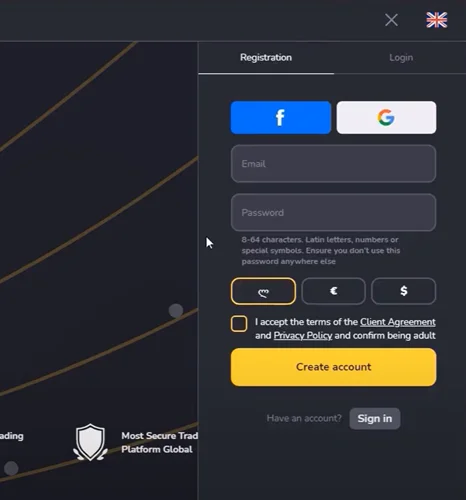
Email Registration Method
- Visit the Binomo website or open the mobile app
- Click “Sign in” (web) or “Sign up” (app)
- Enter your email address
- Create a strong password
- Select your account currency (this cannot be changed later)
- Accept the Client Agreement and Privacy Policy
- Click “Create account” or “Sign up”
- Confirm your email via the link sent to your inbox
After completing these steps, you’ll have immediate access to your Demo account with $10,000 in virtual funds.
Social Media Registration Options
For quicker access, you can register using social media accounts:
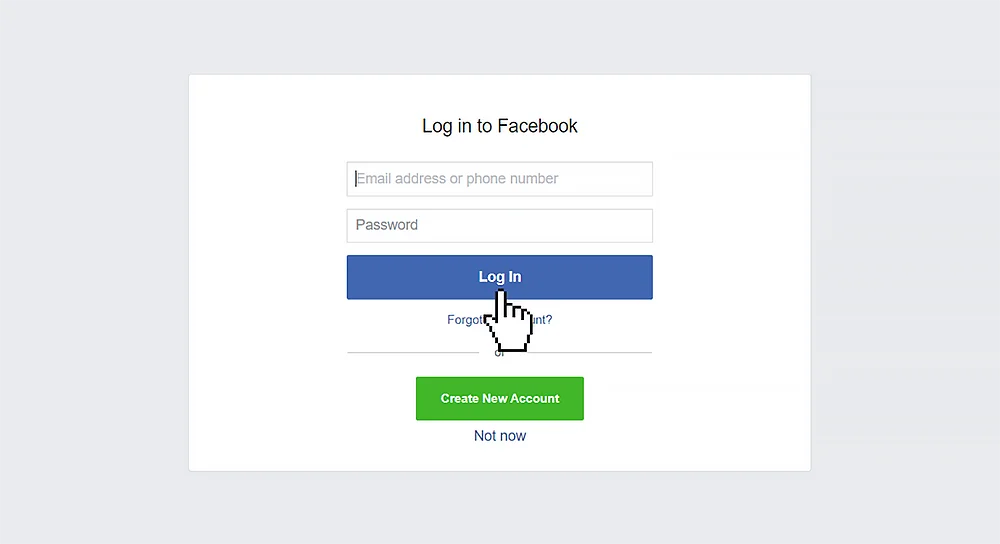
Facebook Registration:
- Click the “Facebook” button on the sign-in page
- Enter your Facebook credentials
- Allow Binomo to access your basic profile information
- Your account will be created automatically
- Click the “Google” button on the sign-in page
- Sign in to your Google account
- Grant the required permissions
- Your Binomo account will be created instantly
Mobile vs. Web Registration Comparison
Binomo offers multiple platforms for account creation, each with its own advantages:
| Platform | Advantages | Registration Steps |
|---|---|---|
| Web Version | Full feature access, easier document uploads | Standard sign-up form with email/social login |
| iOS App | Trade on-the-go, optimized mobile interface | Download from App Store, follow in-app signup |
| Android App | Convenient mobile access, high user ratings | Download from Google Play, complete registration form |
The registration process is similar across all platforms, but the web version offers the most comprehensive settings and management options.
Account Verification Requirements
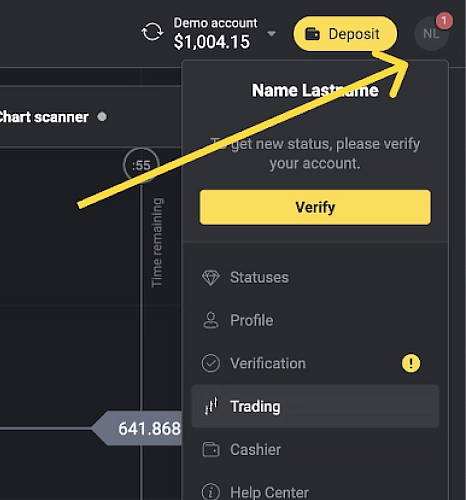
While you can register and start using a Demo account without verification, you’ll need to verify your account when you attempt to withdraw funds. This is both a regulatory requirement and a security measure.
Identity Verification Process
When verification is requested, you’ll need to:
- Provide a valid ID document (passport, national ID, or driver’s license)
- Ensure the document is valid for at least one month from upload date
- Submit clear photos showing all document corners and information
- Upload both sides of the document if applicable
- Wait for approval (typically under 10 minutes)
Payment Method Verification
If you’ve used bank cards to fund your account, you’ll also need to verify them by:
- Uploading a photo of the card front (with numbers partially visible)
- For non-personalized cards, providing a bank statement
- Waiting for verification confirmation
Completing verification unlocks full withdrawal capabilities and adds an extra layer of account security.
Currency Selection and Regional Considerations
Choosing the right currency during registration is crucial since it cannot be changed later.
| Available Options | Considerations | Regional Notes |
|---|---|---|
| US Dollars (USD) | Universal trading currency | Available worldwide |
| Euros (EUR) | European standard | Available worldwide |
| Local Currency | Avoids conversion fees | Available in most regions |
In some countries, only the national currency is available as an option. The list of these countries may vary, so we recommend checking with customer support for the most up-to-date information.
Common Registration Issues and Solutions
Even with a straightforward process, users sometimes encounter problems during registration:
Country Restrictions
Binomo is unavailable in certain countries due to regulatory constraints.
If you’re experiencing access issues, check if your country is on the restricted list in the Client Agreement (paragraph 12.2).
Email Confirmation Problems
If you don’t receive the confirmation email:
- Check your spam/junk folder
- Verify you entered the correct email address
- Request a new confirmation email through the platform
Multiple Account Questions
Binomo allows only one account per person. If you need a new account:
- Block your existing account through the Profile section
- Use a different email for new registration
- Note that family members must use separate devices and accounts
Next Steps After Creating Your Binomo Account
Once you’ve successfully registered, take these steps to optimize your trading experience:
- Explore the platform using your Demo account
- Complete your profile information
- Consider making an initial deposit to unlock full features
- Review educational materials and trading strategies
- Set up security measures for account protection
- Familiarize yourself with the trading interface and tools
- Create a trading plan before investing real money
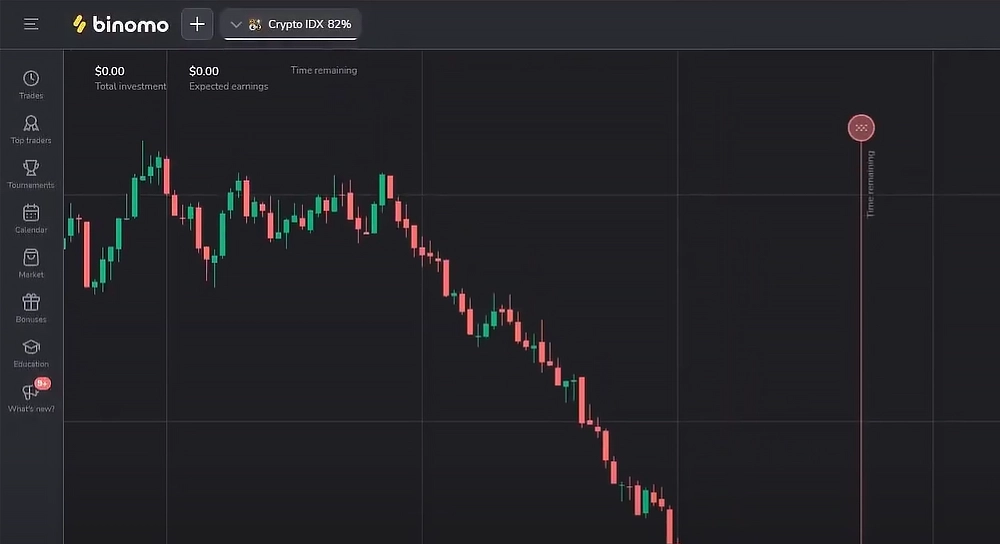
Registering with Binomo provides access to a trading platform with multiple account options suited to different experience levels and investment capacities. The process is designed to be straightforward while maintaining necessary security standards.
By understanding the different account types, verification requirements, and post-registration steps, you can ensure a smooth start to your trading experience. Remember that trading financial instruments involves risk, and it’s advisable to start with the Demo account to practice before trading with real funds.
Frequently Asked Questions
Can I create multiple Binomo accounts?
No, Binomo policy allows only one account per person. If you need a new account, you must block your existing one and use a different email address.
Is Binomo available in all countries?
No, the platform services are unavailable in several countries due to regulatory restrictions. The complete list is available in the Client Agreement.
Can I change my account currency after registration?
No, once selected during registration, your account currency cannot be changed. If needed, you must create a new account with the preferred currency.
How long does verification typically take?
Standard verification usually takes less than 10 minutes. In rare cases requiring manual review, the process may take up to 7 business days.
Can I trade without verification?
You can deposit and trade without verification until you attempt to withdraw funds. At that point, verification becomes mandatory.
What's the minimum deposit to start trading with real money?
The minimum deposit is $10 (or equivalent in your account currency) to activate a Standard real account.
Can family members create separate accounts?
Yes, but each person must have their own account, device, and IP address. Trading from the same device with different accounts is prohibited.
Sign Up and Get a Bonus
Join the trading platform and receive a welcome bonus on your first deposit!
Risk Warning: Trading in financial markets and CFDs with leverage carries a high risk of losing part or all of your invested capital. Ensure you understand the risks involved and assess your level of preparation before engaging in high-risk trading. Please make sure trading complies with the regulations in your region before proceeding.