Trading App for iOS
Binomo App for iPhone
Use the buttons below to access the app download from an official source. You can also check out our recommendations for resolving potential issues during app installation.
Binomo download for iOS provides traders with a powerful mobile trading platform accessible anytime, anywhere. This comprehensive guide covers everything from installation to advanced trading features for Apple device users.
What is the Binomo iOS App?
The Binomo trading platform offers iOS users a convenient way to access financial markets directly from their iPhone or iPad. With over 990,000 active traders from 133 countries, Binomo has established itself as a reliable platform for both beginners and experienced traders alike.
The iOS application mirrors most functionality available on the web version, allowing you to:
- Trade 50+ different assets
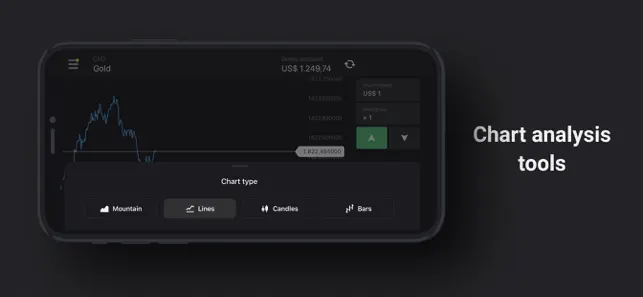
- Use professional chart analysis tools
- Access both demo and real accounts
- Deposit and withdraw funds
- Participate in tournaments (for Standard accounts and above)
Mobile vs. Web Registration Comparison
Binomo offers multiple platforms for account creation, each with its own advantages:
| Platform | Advantages | Registration Steps |
|---|---|---|
| Web Version | Full feature access, easier document uploads | Standard sign-up form with email/social login |
| iOS App | Trade on-the-go, optimized mobile interface | Download from App Store, follow in-app signup |
| Android App | Convenient mobile access, high user ratings | Download from Google Play, complete registration form |
The registration process is similar across all platforms, but the web version offers the most comprehensive settings and management options.
How to Download Binomo for iOS Devices
Downloading the Binomo application on your iPhone or iPad is straightforward:
- Open the App Store on your iOS device
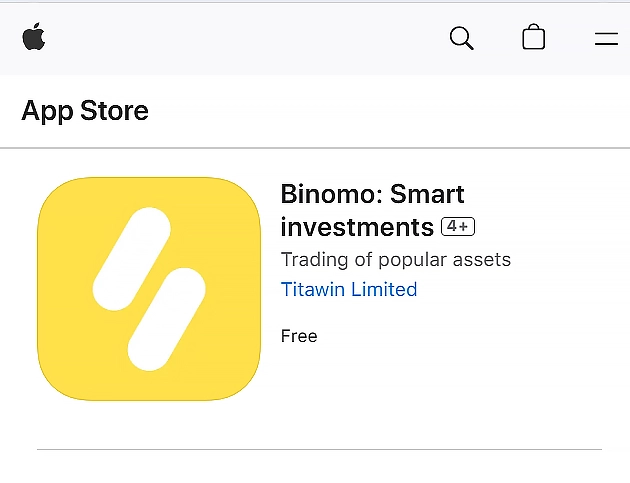
- Search for “Binomo: Smart investments”
- Tap the “Download” button (it’s free)
- Wait for the installation to complete
- Launch the app from your home screen
The application requires iOS 14.0 or later and occupies approximately 88.8 MB of storage space. It’s compatible with iPhone, iPad, iPod touch, and even Apple Vision devices.
Technical Requirements for Binomo iOS App
| Requirement | Specification |
|---|---|
| iOS Version | 14.0 or later |
| Device Compatibility | iPhone, iPad, iPod touch, Apple Vision |
| App Size | 88.8 MB |
| Languages | English, Spanish, Portuguese, Russian, and 9 others |
| Developer | Titawin Limited |
Setting Up Your Binomo Account After Download
Once you have completed downloading Binomo for iOS, you will need to set up your trading account.
Registration Process
- Open the Binomo app and tap “Sign up”
- Enter your email address and create a password
- Select your account currency (once chosen, this cannot be changed)
- Read and agree to the Terms of Service
- Confirm your email address via the verification link
You can also register using your Google or Facebook account for faster access.
Account Types Available on iOS
| Account Type | Minimum Deposit | Features |
|---|---|---|
| Demo | $0 (Free) | $10,000 virtual funds, unlimited use |
| Standard | $10 | Real trading, basic assets, tournaments |
| Gold | $500 | More assets, higher yields, personal manager |
| VIP | $1,000 | Maximum assets, priority withdrawals, VIP manager |
You can learn more about account levels and their privileges on our dedicated page.
Trading on Binomo iOS App
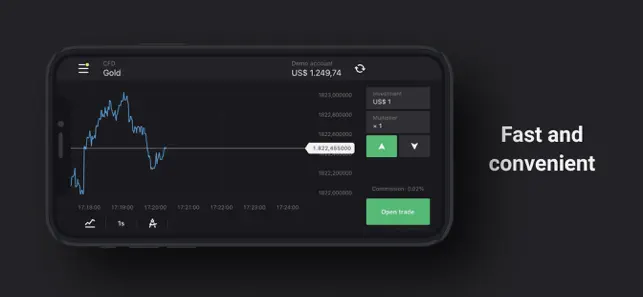
The mobile application offers a user-friendly interface with essential trading tools:
Asset Selection and Trading
- Choose between demo or real account
- Select an asset from the available list (each shows profitability percentage)
- Set your investment amount (minimum $1, maximum $1,000)
- Select your preferred expiration time
- Analyze price movements and make your forecast
- Tap green (UP) or red (DOWN) button to place your trade
Trading Tools Available on iOS
| Tool Category | Available Features |
|---|---|
| Chart Types | Candlestick, Line, Area |
| Timeframes | 1s, 5s, 15s, 30s, 1m, 5m, 15m, 1h, 4h, 1d |
| Indicators | Moving Averages, RSI, MACD, Bollinger Bands, etc. |
| Drawing Tools | Trend lines, support/resistance, Fibonacci |
| Trade History | Complete record of past trades |
Web Version Alternative for iOS Users
If you cannot find the Binomo app in the App Store due to regional restrictions or other issues, the web version remains an excellent alternative. The platform was originally designed with mobile functionality in mind, so the web version works seamlessly on iOS devices.
Creating a Home Screen Shortcut for the Web Version
You can create a convenient shortcut to Binomo’s website on your iOS home screen:
- Open Safari and navigate to the Binomo website
- Tap the share icon (square with arrow) at the bottom of the screen
- Scroll down and select “Add to Home Screen”
- Name your shortcut and tap “Add”
This creates an icon on your home screen that opens Binomo directly, providing an app-like experience without the actual app installation.
Pros and Cons of Binomo iOS Application
Advantages
- Mobile accessibility: Trade anywhere, anytime
- User-friendly interface optimized for touch screens
- Same trading capabilities as the web version
- Free demo account with unlimited virtual funds
- Low minimum deposit ($10) and trade amount ($1)
- Multi-language support and 24/7 customer service
Limitations
- Some drawing tools available on the web version are limited on mobile
- Tournaments are only available for Standard accounts and above
- Cannot self-block your account through the app
- Limited customization compared to desktop trading platforms
Conclusion: Making the Most of Binomo on iOS
The Binomo for iOS provides a powerful trading tool that fits in your pocket. Whether you’re a beginner practicing with a demo account or an experienced trader managing real investments on the go, the iOS app delivers essential functionality in a user-friendly package.
Start by downloading the application, creating your account, and exploring the demo environment before committing real funds. The platform’s educational resources can help you develop trading strategies and understand market movements.
Remember that trading financial instruments involves risk, and it’s important to trade responsibly with funds you can afford to lose.
Frequently Asked Questions
Is the Binomo app free to download on iOS?
Yes, the Binomo application is completely free to download from the App Store. You only need funds when you’re ready to trade with a real account.
Can I use the same Binomo account on multiple devices?
Yes, you can log into your Binomo account on multiple devices, including switching between iOS devices and the web platform.
Is Binomo available in all countries?
Binomo is available in over 130 countries, but availability may vary based on local regulations. Check the app’s availability in your App Store.
How secure is the Binomo iOS app?
The app uses encryption to protect your data and transactions. Binomo is also regulated by the Financial Commission, providing additional security for traders.
Can I practice trading without risking real money?
Yes, Binomo offers a free demo account with $1,000 in virtual funds that you can use indefinitely to practice trading strategies.
What is the minimum deposit required to trade on Binomo?
The minimum deposit is $10 for a Standard account, though higher account levels require larger deposits.
How long do withdrawals take on the iOS app?
Most withdrawals are processed within 24 hours after confirmation, with VIP accounts enjoying faster processing times.
Sign Up and Get a Bonus
Join the trading platform and receive a welcome bonus on your first deposit!
Risk Warning: Trading in financial markets and CFDs with leverage carries a high risk of losing part or all of your invested capital. Ensure you understand the risks involved and assess your level of preparation before engaging in high-risk trading. Please make sure trading complies with the regulations in your region before proceeding.